eise.app - Easy (planetary) Image Stacker Engine

About eise.app - Image Stacker for Planets, Moon & Sun

100% browser-based - no uploads, no installs

eise.app is the first fully browser-based planetary image stacking tool. Everything runs locally on your machine using WebAssembly and Web Workers - your data never leaves your computer.

The name is an ode to Eise Eisinga, a Frisian amateur astronomer who built a planetarium in his living room. The project started from frustrations getting existing software running on ARM-based Macs - AutoStakkert4! didn't work in Wine, PSS had dependency issues, Lynkeos crashed continuously.

How it works

  • File support: SER files (recommended), AVI (uncompressed), or any video format via FFmpeg.js
  • Frame ranking: Laplacian variance calculates sharpness for each frame. Manual threshold selection with quality graph.
  • Auto-crop: Detects and centers the target in each frame. For planets, rejects cut-off frames.
  • Surface mode: For Moon/Sun closeups with drift tracking to handle larger frame-to-frame motion
  • Local alignment: Alignment Points (APs) track motion across the frame using OpenCV's matchTemplate
  • De-warping: Displacement maps correct atmospheric wobble using inverse distance weighted interpolation
  • Drizzle: 1.5x output resolution using sub-pixel frame offsets
  • Stacking: Quality-weighted averaging with brightness normalization
  • Post-processing: Wavelet sharpening, deconvolution, RGB alignment (auto-detect + sub-pixel), rotation, crop

Acknowledgments

This project draws inspiration from Planetary System Stacker by Rolf Hempel. The alignment point approach, local de-warping, and quality-weighted stacking concepts are based on PSS's implementation. Thank you Rolf for making PSS open source and documenting the algorithms.

Technology

Built with Nuxt/Vue, OpenCV.js (WebAssembly), Web Workers for parallel processing, and FFmpeg.js for video decoding. All processing happens in your browser - works on any OS without installation.

Browser Requirements (WebGPU)

eise.app uses WebGPU for fast GPU-accelerated processing. Minimum requirements:

PlatformMinimum Version
Chrome113+ (Android: 121+)
Edge113+
Safari18+ (macOS Sequoia / iOS 18)
Firefox141+ (Windows only for now)
AndroidChrome 121+ with Android 12+
iOSSafari 18+ (iOS 18+)
Your browser: Detecting...
Checking WebGPU support...

Alternative software

eise.app works well for quick results without installing anything. For more advanced features you might want to try:

Bugs or feature requests?

Head over to eise.app on GitHub for suggestions or bug reports.

Or send me feedback directly - I'd love to hear about your experience!

Happy Stacking,
Tijmen

Target ⓘ

Frame selection ⓘ

Stacking mode ⓘ

ⓘ

Crop margin ⓘ

10%

Max frames ⓘ

∞

Welcome to eise.app

An easy image stacker for planetary astrophotography

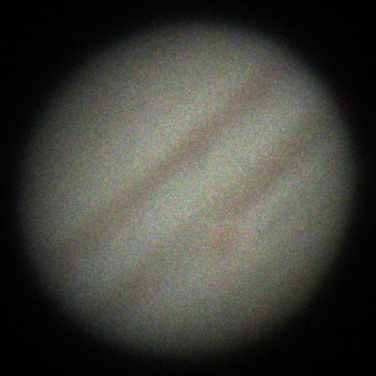
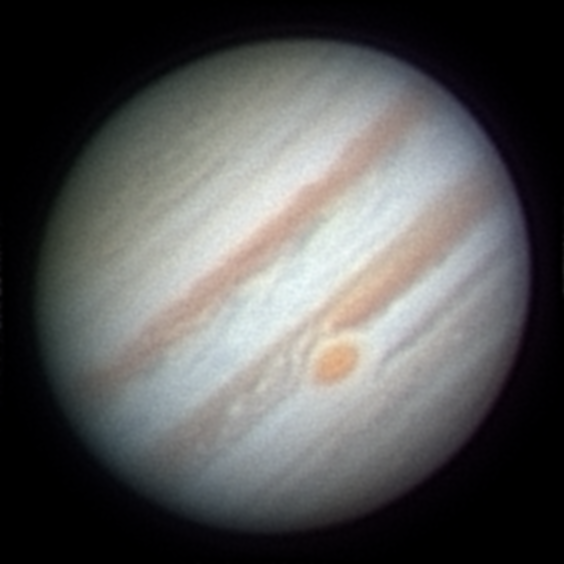
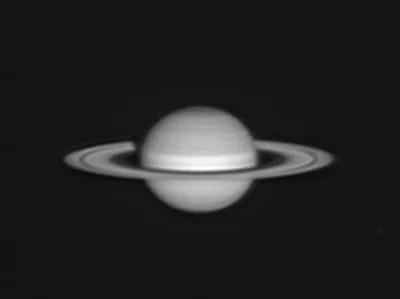
Turn your blurry and shaky videos of planets, Moon, or Sun into one stacked and sharp image using lucky imaging.

  • Select one or more SER files for stacking followed by post processing. (Multiple SER files will be combined)
  • Select one video file (AVI, MP4, etc.) for stacking followed by post processing.
  • Select multiple image files (TIFF, PNG, JPG, etc.) for stacking and post processing.
  • Select one image file for post processing only.

When stacking, eise.app analyzes all frames by sharpness, then you select which ones to include using a quality graph or percentage threshold.

Tip: For Moon or Sun surface closeups, select "Surface" mode above to handle larger frame-to-frame drift.

More information, bugs and feature requests?

Read more about Eise.app on the About page, or head over to Eise.app on Github.

Have feedback or running into issues? Let me know!

Latest release: Jan 26, 2026

Select Quality Threshold

Drag the slider to choose how many frames to include in the stack.

Frames are sorted from sharpest (left) to blurriest (right).

BestWorst

Use the slider or press Play to preview frames

Logs